Through the Roper Technologies Employee Stock Purchase Plan (ESPP), eligible employees can purchase shares of Roper Technologies common stock at a 10% discount* off the fair market value. Contributions are conveniently withheld through payroll deductions.
Eligibility
You must work more than 20 hours per week and have at least 5 months of work during any calendar year.
You must regularly have payroll taxes withheld.
Why Participate
In addition to receiving Roper common stock at a 10% discounted price*, participating in the plan can help increase your savings and allows you to build an ownership stake in the company. You will also receive dividends on purchased shares.
How to Purchase
You contribute to the plan through payroll deductions, which build up between the offering date (first business day of the quarter) and the purchase date (last business day of the quarter). At the purchase date, the accumulated funds are used to buy stock at a 10% discount* (off the lower of the closing price on the first day of the offering period or last day of offering period).
You can contribute 1-10% of your salary post-tax, at a maximum of $25,000 of the fair market value (FMV) per calendar year.
Restriction Period
After the purchase, you can view the number of shares purchased in your Fidelity account. Shares are held by our administrator, Fidelity, and restricted from sale or transfer for 15 months from the last day of the offering period (last day of the quarter). Once the restriction period expires, employees can either:
Continue to hold their shares and allow the shares to become more valuable over time.
Sell the shares or a portion of the shares.
Transfer shares to another account.
Enrollment Period
Roper Equity will publish formal enrollment periods during 2026. Be on the lookout for those announcements to enroll or make changes to your current contribution percentage on file.
How to Enroll
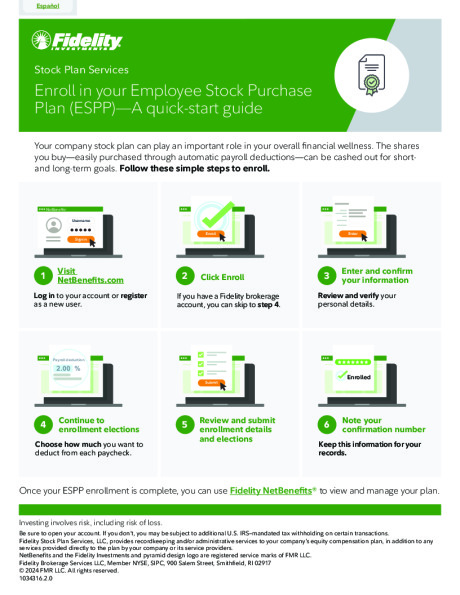
During the enrollment period, log in to your Fidelity account at NetBenefits.com or call 800-544-9354 for assistance.
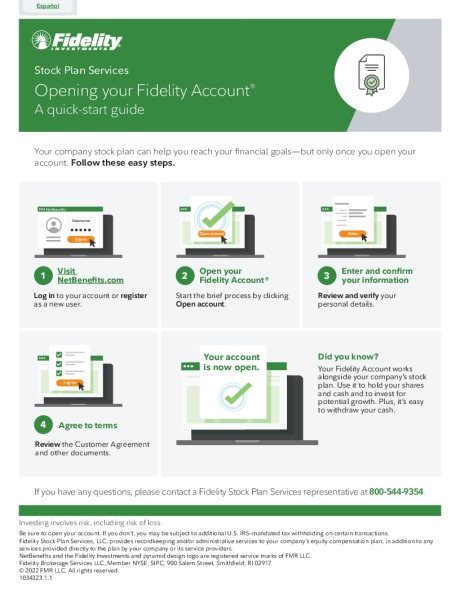
Already have a Fidelity account? Log in using your credentials.
New to Fidelity NetBenefits? Follow the Enrollment Guide below to create an account.
2. Once logged in, follow the steps in the guide below to successfully enroll in the Employee Stock Purchase Plan.
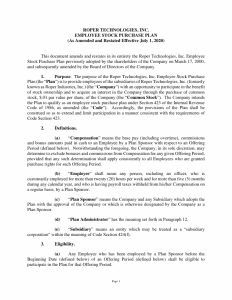
*Subject to Plan restrictions and limitations. Please read the plan document to familiarize yourself with Plan provisions.